How to Track Calories With a Photo: A Practical Guide
How to track calories with a photo: the angle, light and plate setup that help AI, what to add by hand, when to scan a barcode and how to fix estimates.
By PixNutri Editorial Team · Published September 18, 2026 · Last updated September 18, 2026 · 8 min read
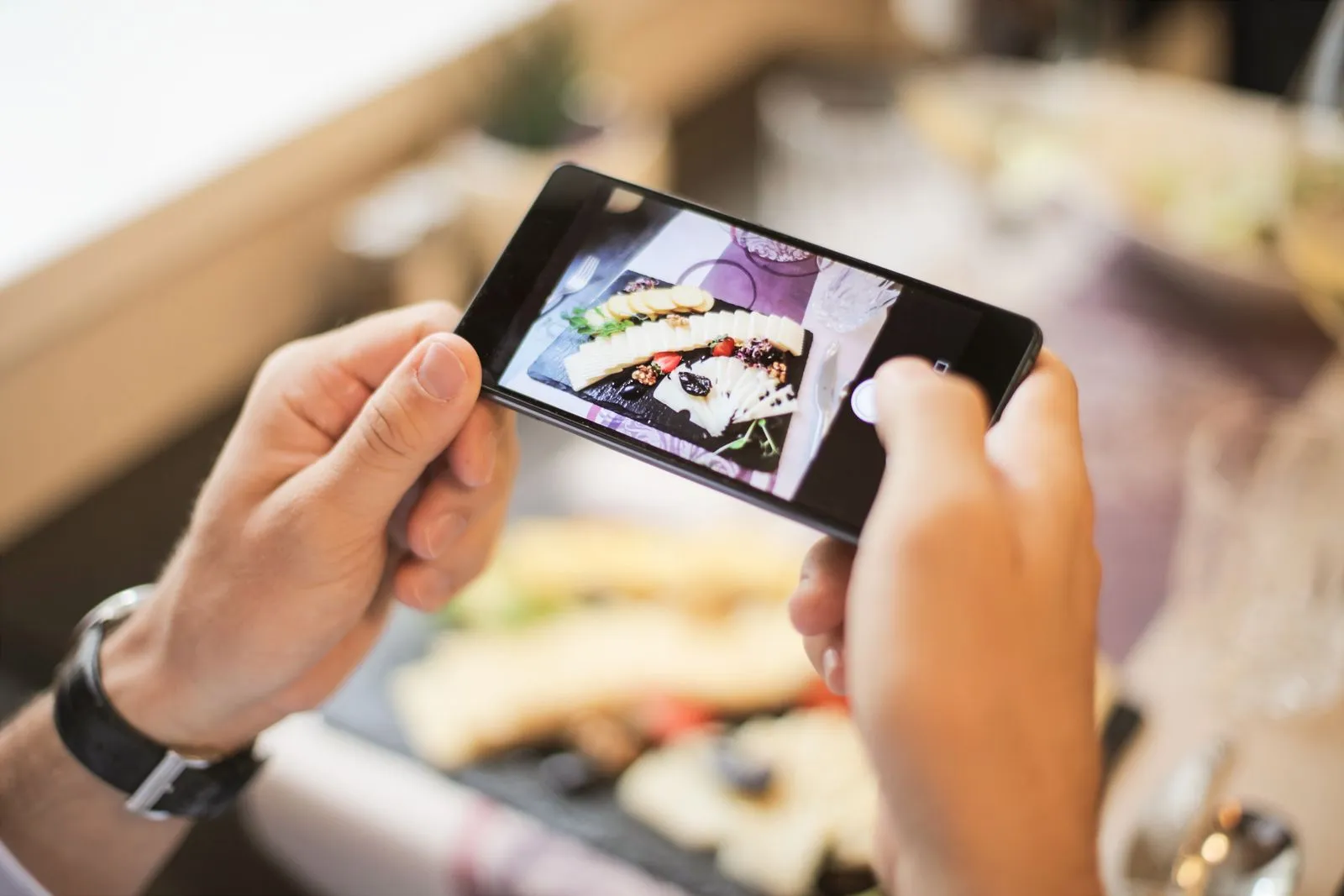
To track calories with a photo, take one clear, well-lit picture of the whole meal before you eat, from about 45 degrees or straight above, with a fork or your hand in the frame for scale. Then spend ten seconds on the result: check the portion, add the oil, butter or sauce the camera cannot see, and use a barcode scan instead of a photo for anything in a package. The photo does the recognition; you fill in what a picture cannot show.
This guide is about technique: how to take the picture, what to add and how to correct entries. If you want the research on how close photo estimates get, read are AI calorie apps accurate.
Why the photo matters
An AI model looking at a food photo has two jobs. First, it has to recognise what is on the plate. Second, it has to judge how much of each item there is, and a flat image has no built-in scale. Recognition is usually the easier part. Portion size and invisible ingredients are where most of the error comes from.
That means you control a good share of the result. A clear photo with a size reference makes the portion easier to judge, and a few words about what is hidden cover the rest.
How to take a photo that gives a better estimate
1. Shoot at 45 degrees or from above
A top-down shot shows the area of each food. An angled shot shows height too, which matters for a mound of rice or a stacked burger. Researchers at the University of Gothenburg, testing AI models on food photos, placed the camera at a 42-degree angle because it gives a good compromise between showing the depth and the height of the food.
In practice:
- For flat plates (salad, pasta, stir-fry), a shot from above or at about 45 degrees works well.
- For tall food (burgers, layered cakes, bowls filled to the rim), use an angle so the height is visible.
- For deep bowls, an angle also shows how full the bowl is. From straight above, a half-full and a full bowl can look the same.
2. Use good, even light
Daylight or a bright room light is best. Avoid harsh shadows across the plate, strong coloured light and flash glare on sauces. Dark photos hide texture, which is how a model tells chicken from tofu, or a creamy sauce from a tomato one.
3. Get the whole meal in the frame
Include the full plate and anything that belongs to the meal: the side of bread, the dip, the drink. Do not crop into the food; the edges of the plate help show its size. Hold the phone steady and tap to focus.
4. Add a reference object for scale
A photo has no ruler, so give it one. Place a normal fork, knife or spoon next to the plate, or keep your hand in the corner of the frame. In the Gothenburg study, standard cutlery was placed next to every plate specifically as a size reference, and the models were asked to use it.
Standard plates help as well. If you always eat from the same dinner plate, your photos are easier to compare with each other, and you get a better feel for what “a normal portion” looks like on it.
5. Separate the components when you can
AI sees surfaces. Food it cannot see is food it has to guess.
- Spread things out a little so the rice is not hidden under the curry and the chicken is not buried in salad leaves.
- Photograph a sandwich or wrap cut in half so the filling shows.
- Photograph mixed dishes before stirring them, when the parts are still distinct.
- For a buffet or shared meal, photograph your own plate, not the serving dishes.
6. Take the photo before you eat
A half-eaten plate is hard to judge. If you forgot, log what is left and adjust the portion up, or describe the meal in text instead.
Add what the camera cannot see
The biggest blind spot is fat and sugar that went into the food rather than on top of it. Oil soaks into vegetables, butter melts into rice, sugar dissolves into a sauce or a coffee. None of this is visible, and it is calorie-dense.
According to USDA FoodData Central, one tablespoon of olive oil (13.5 g) has about 119 kcal, and one tablespoon of butter (14.2 g) about 102 kcal. A pan-fried dish can easily hold one or two tablespoons that the photo cannot show.
A 2025 study of ChatGPT-5 on 195 dishes found that estimates improved noticeably when the model was told details a photo cannot show, such as the type and amount of fat, and improved further when ingredients and amounts were added. The practical version:
- Mention the cooking fat and roughly how much: “fried in 1 tbsp olive oil”.
- Mention dressings, mayonnaise, sauces and dips, especially if they are mixed in.
- Say what the drink is: whole or skimmed milk, regular or diet soda, sugar in the coffee.
- Name look-alike foods: wholegrain or white bread, full-fat or light cheese.
- If you cooked from a recipe, list the main ingredients with amounts.
In PixNutri you can add these details in text or by voice alongside the photo, or edit the values after the estimate.
When to use a barcode or label instead
A photo is the fastest option for home-cooked meals and restaurant plates. It is not the best option for everything.
| Situation | Best method |
|---|---|
| Packaged food (yoghurt, cereal, snack bar, ready meal) | Barcode scan, then enter the amount you ate |
| Drinks from a can or bottle | Barcode scan |
| Home-cooked plate or restaurant dish | Photo, plus details about oil and sauces |
| Your own recipe you eat often | Photo once, correct it carefully, then reuse the corrected numbers |
| Food in a wrapper or opaque container | Barcode or label; the camera cannot see inside |
| Liquids in a mug or glass | Text description with the size of the cup |
A barcode scan uses the nutrition data recorded for that product rather than a visual guess. Its accuracy depends on the database entry and on the amount you enter, so check the serving size. Our guide to reading nutrition labels explains per-100 g and per-portion values.
How to correct a photo entry
Treat the first result as a draft. A quick review catches most of the big errors.
- Check the food names. If the app lists “pasta” and it was scrambled eggs, fix the item first. A wrong identification throws off every number after it.
- Check the portion. Compare the plate with what you know. If it was a large helping, assume the estimate is low. In the Gothenburg study, all three models underestimated more as portions got bigger. In PixNutri, the portion buttons (½, ¾, 1½, 2×) let you scale the whole meal in one tap.
- Add the missing extras. Oil, butter, dressing, sugar, the second slice of bread you ate later.
- Edit individual values if you know them. If you weighed the chicken or know the recipe, change the calories, protein, carbs or fat directly.
- Correct leftovers. If you did not finish, reduce the portion to what you actually ate.
It helps to know your usual portions. If you can weigh your normal bowl of rice or your usual pour of oil once, you have a reference for every future photo. Our guide on counting calories without a food scale explains how to calibrate your eye.
Spend your attention where it counts
You do not need to correct every entry. A few grams of cucumber make no difference. Focus on:
- Large meals, where underestimation is most likely.
- Anything fried, creamy, cheesy or glossy with oil.
- Meals you eat often, because a repeated error adds up.
- Restaurant food, where portions and cooking fat are usually larger. See eating out while counting calories.
How accurate is photo calorie tracking? The short version
Photo estimates are useful approximations, not measurements. Independent studies have found that AI models identify foods well but are weaker at portion size, tend to underestimate larger portions, and get closer when you add ingredients and amounts. Everyday photos are also messier than lab photos taken under fixed conditions.
For the numbers from those studies, see are AI calorie apps accurate. For PixNutri specifically, we have not published our own benchmark; our accuracy page explains what we know, and the methodology page explains how the app produces its estimates.
The practical takeaway: judge progress by your weekly weight trend and average intake rather than single meals, and correct the big, oily and repeated meals.
A quick routine for every meal
- Plate the food, fork next to it, good light.
- One photo from about 45 degrees or above, whole plate in the frame.
- Add the oil, sauce and drink in a few words.
- Packaged food: scan the barcode instead.
- Check the item names and the portion; adjust with the portion buttons.
- Log leftovers and seconds.
If you want a daily target to track against, the calorie calculator gives you an estimate to start with.
When photo estimates are not enough
If you count carbohydrates to dose insulin, have kidney disease, are pregnant, or have a history of disordered eating, work with a doctor or registered dietitian and do not rely on photo estimates alone. Photo logging is a tool for general awareness and weight management, not for clinical precision.
FAQ
Can you really track calories with a photo?
Yes, as an estimate. The app recognises the foods and estimates portions and nutrients. You get the best results with a clear photo, a size reference, details about hidden fats and a quick check of the portion.
What is the best angle for a food photo?
About 45 degrees or straight above, with the whole plate in view. Use an angle for tall or deep food so the height is visible.
Should I put something next to my plate for scale?
Yes. A normal fork, spoon or your hand gives the AI a size reference. Using the same plates regularly also helps.
Why does the app miss cooking oil?
Oil absorbed into food is invisible in a photo. Add it yourself, for example “1 tbsp olive oil”, which is about 119 kcal according to USDA data.
Is a barcode more accurate than a photo?
For packaged food, usually yes, because it uses the recorded nutrition data for that product. Enter the amount you actually ate.
Sources
- Fridolfsson J, et al. Performance Evaluation of 3 Large Language Models for Nutritional Content Estimation from Food Images. Current Developments in Nutrition. 2025
- Rodríguez-Jiménez M, et al. Image-Based Dietary Energy and Macronutrients Estimation with ChatGPT-5: Cross-Source Evaluation Across Escalating Context Scenarios. Nutrients. 2025
- USDA. FoodData Central (SR Legacy energy values and household measures)
Written by the PixNutri Editorial Team. PixNutri provides general information, not medical advice. Learn how we work: Methodology · Nutrition sources · Editorial policy
Spotted a factual error? Report it to our editorial team. We review every report and update the page if needed.
